01 / Mission brief
About Call of Tanks
Call of Tanks is a free online real-time strategy and tower-defense hybrid. Instead of steering one tank, you deploy armored units and support vehicles from your base, then watch each one follow its own behavior across the battlefield. Your objective is to destroy the enemy Command Center while keeping your own base and defensive structures intact.
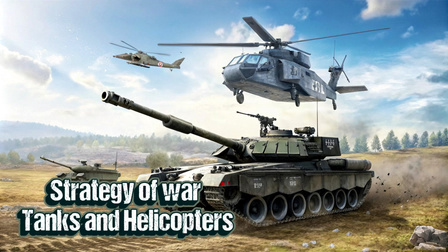
A unit cannot be manually redirected after deployment, which makes placement, timing, and army composition the main decisions. Tanks, helicopters, ATVs, repair support, and defensive structures have different strengths. Sending everything down one lane can create pressure, but it can also leave another approach open. Missions award resources for stronger bases, upgraded defenses, and improved units across a campaign with several difficulty settings.
Call of Tanks is confirmed as a PC browser game. Use the mouse to select and drag units into the deployment area, then use arrow keys or the mini-map to follow the battle. Mobile play is not claimed for this build. There is no standalone client to install, and planning a formation can offer a satisfying change of pace when you want a break from reaction-heavy games.
02 / Field instructions
How to Play Call of Tanks
- 01
Study the lanes
Inspect the enemy defenses and decide which part of the battlefield gives your first units the best route.
- 02
Deploy a balanced force
Drag available tanks and support units into the green deployment area near your base.
- 03
Track the attack
Move the camera with the arrow keys or mini-map and watch how each automatic unit responds.
- 04
Destroy the Command Center
Keep your own base defended while enough allied units break through the enemy structures.
03 / Controls
Controls
Use the verified inputs below for this browser version.
04 / Player fit
Who Is Call of Tanks For?
- Strategy players who prefer deployment and army composition to direct driving.
- Tower-defense fans who enjoy defending a base while pushing another front.
- PC players interested in campaign missions, unit upgrades, and battlefield observation.
Planning an attack shifts attention from fast reactions to resource and placement decisions, which can be a rewarding way to switch gears during a longer break.
05 / Tactical notes
Call of Tanks Tips
- 1Learn what each unit does before spending resources on an expensive formation.
- 2Focus pressure on one side only when the opposite lane remains defensible.
- 3Pair damage units with support instead of sending a single type repeatedly.
- 4Use the mini-map to catch threats outside the current camera view.
- 5Upgrade the units and structures that solve a repeated mission problem.
Ready when you are
Play Call of Tanks Online for Free
Call of Tanks is free to play online from a supported PC browser. No game client or large installation is required; press Play and deploy units with the mouse when the embedded battlefield is ready. The confirmed build relies on mouse dragging, keyboard camera movement, and a desktop-sized interface, so it is labeled desktop-first rather than promising unsupported phone or tablet controls.